
type
status
date
slug
summary
tags
category
icon
password
Property
Aug 7, 2022 01:01 AM
URL
CVPR2022 Mobile AI 比赛开发日志一,主要是开发环境配置和一些常用命令
Conda/Miniconda相关命令
- conda create -n [name] python=x.x 创建环境
- conda info –envs 查看本地环境
- conda create -n [name] –clone [path] 通过上一句查看路径进行本地环境复制(“深拷贝”),或者直接拷贝文件夹改名
- conda activate [name]
- conda env export > [name].yaml 将当前activate的环境导出参数文件,移植
- conda env create -f [name].yaml 新环境移植生效
- conda remove -name [name] –all 删除环境,或者直接envs删文件夹
- 改名建议info -e后直接去路径改文件夹名字就可以了
- linux miniconda安装:https://blog.csdn.net/qq_42951560/article/details/109152114
Linux相关命令&Shell语法
- df -hl 磁盘剩余容量
- ls -lht 当前目录下文件大小和总和
- cat /proc/meminfo 查内存 cat /proc/version 查系统版本
- cat /usr/local/cuda/version.txt 查看cuda版本
- to be continue..
CUDA&cudnn配置
- CUDA版本与显卡型号、驱动版本有关,可以去官网查,不过一般我们的其他部分如tensorflow对cuda有要求,装满足要求的最新版本就行
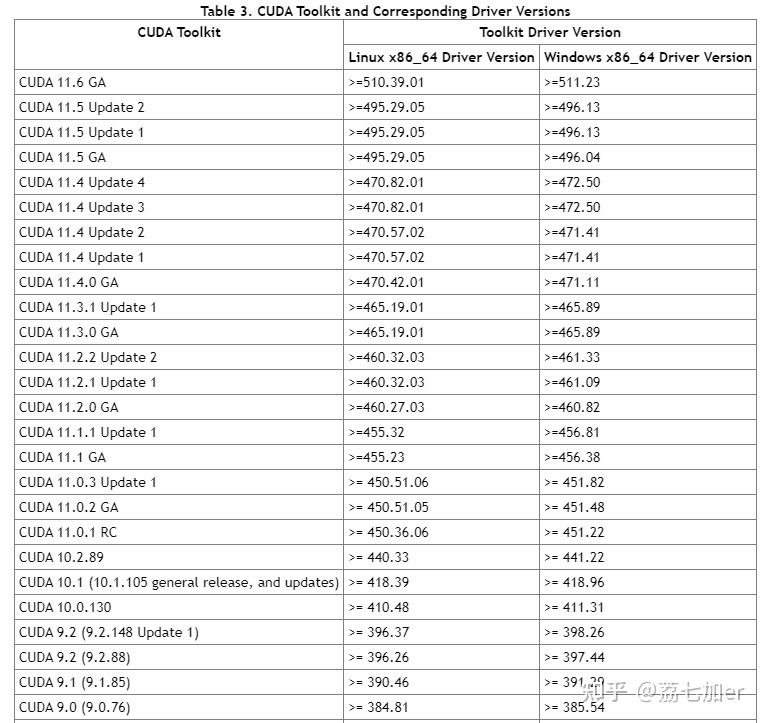
非root用户装CUDA:
- CUDA Toolkit Archive | NVIDIA Developer挑一个,一般就10.0,10.1,10.2,11.0,11.2 以11.2为例,这么选
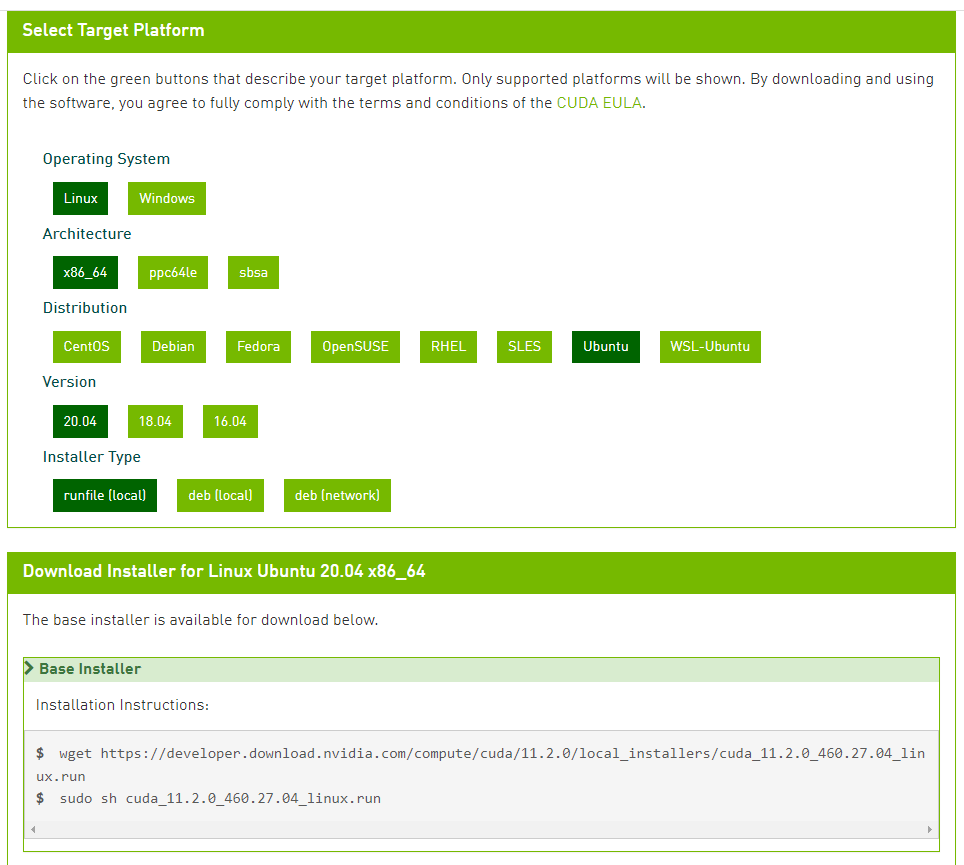
- cd到合适目录,
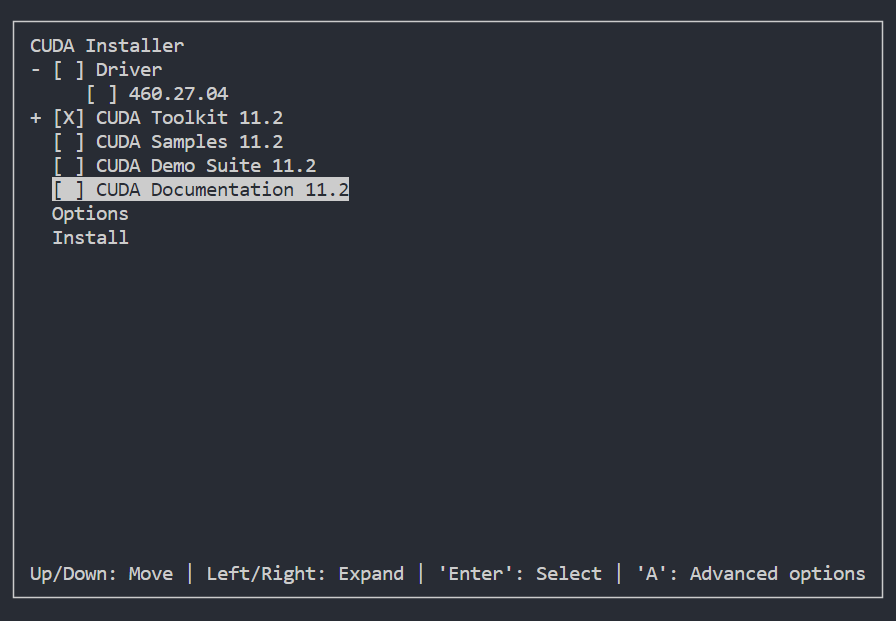
只装cuda,需要改option:
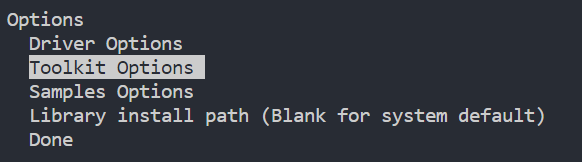
之后一路选done然后install就行 安装好了

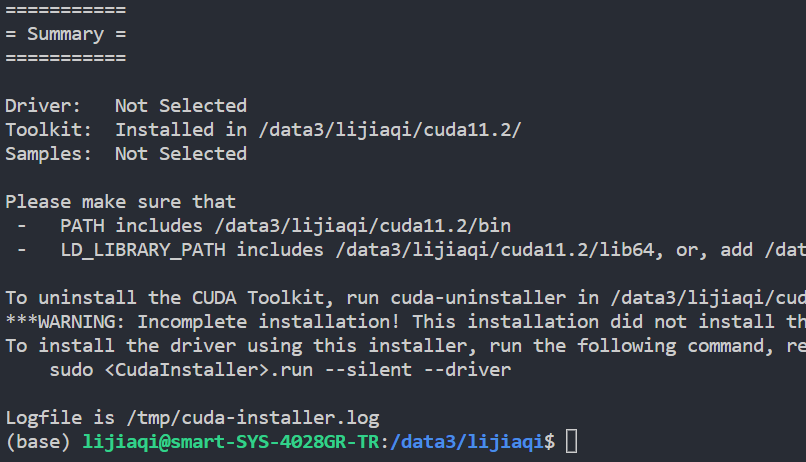
成功。
CUDA装好了,接下来装cudnn
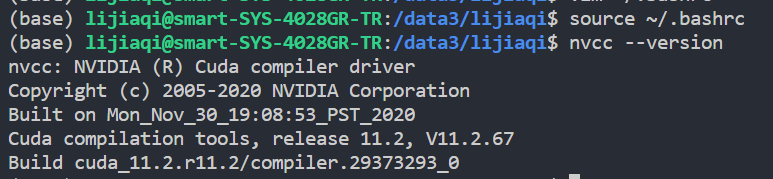
cuDNN Archive | NVIDIA Developer找到跟cuda匹配的cudnn,11.x的意思为当时发布时的最新几个版本,不了解的一般别下,选择x86_64下好。

复制到cuda目录下如图
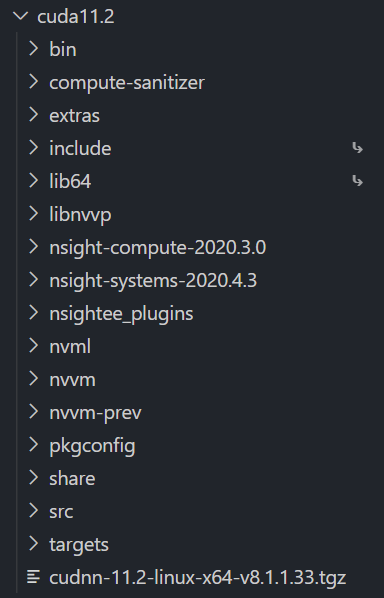
可以看出cudnn 8.1.1安装成功,撒花

Tensorflow安装与基本知识、操作
安装
CPU版本dog都不用,这里说一下gpu版本安装,其实这应该是第一步,需要根据你对tf的需求去装cuda啥的
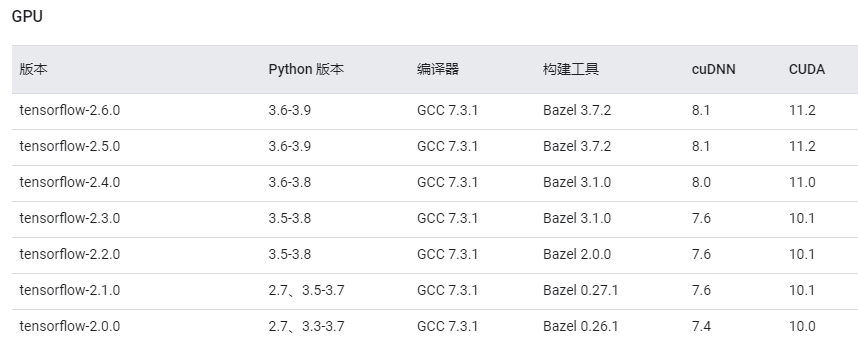
接下来就可以直接pip install tensorflow-gpu==2.x.0安装了
- 6月2日注:
若要求需要剪枝,tf应采用2.5.0及以上版本,e.g.
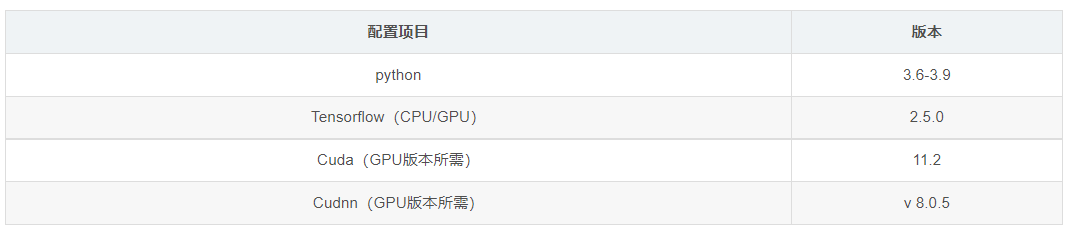
否则会报一个相当诡异的多头注意力没有的错误,博主sinysama的博客也踩过这个坑,真是相见恨晚。